Chris Wilmshurst

Videographer

  • Latest
  • Featured
  • Photography
  • Archives
  • About & Gear Guide

How To Delete Unwanted System Data on Your Mac For Free

June 12, 2022 by Chris Wilmshurst in Tutorial

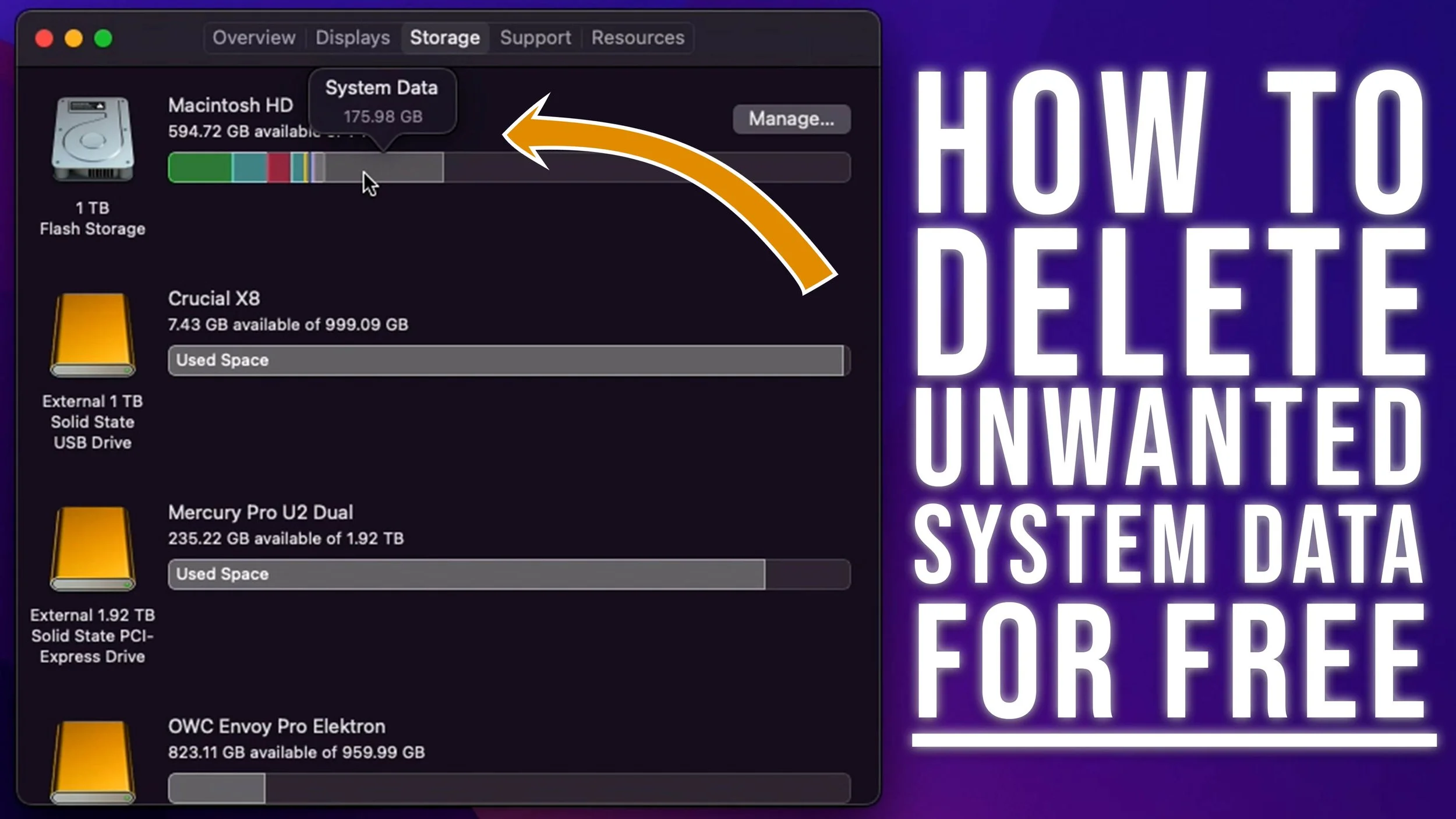
If you own a Mac computer you may have wondered why it seems almost impossible to delete System Data. There are many paid apps out there which will help clear system data, but this comes at a cost. In this video tutorial I will show you how to view and delete your unwanted system data for free. This is also how you find Adobe's hidden cache files that are not deleted when you use the clear cache function in the apps.

Script

Hey, I’m Chris and today I’m going to show you how to clear up system data on your hard drive in Mac OS for free.

If you use a Mac computer you may have seen your storage eat away over time. Where does it all go? In this video, i’m going to show you how to delete this unwanted build up of files without spending any money on apps.

If you head to the top of you screen and click the Apple logo, then About this mac, and then click the Storage tab you’ll see a small grey portion named system failure. Now a good way to clear up your storage in general to use the reduce clutter feature. To do this simply click Manage, and then at the bottom click ‘reduce clutter’.

Now head over to the file browser tab and go through your files individually and delete them, but this doesn’t address that lingering ‘system data’ that can clog up your drive. Mine in the past has hit 300Gb and its mainly down to cache files from Adobe Premiere Pro and After Effects.

So to fix this we’re going to open finder and head to the hidden library folder. To do this, select Go in the top bar, then click ‘Go to Folder’ or hit shift command and G.

You should see a pop up appear in your finder window, and once it does type the following into search bar. /Users/YOURUSERNAME/Library.

Before we continue, we need to make a slight change to our view options. So head up to View and click on Show view options. Scroll to the bottom and then click calculate all sizes, once this is ticked hit ‘use as defaults’. This will let us see how large each folder is, but be aware that the speed of your drive and your mac’s processor will determine how fast this is calculated and shown.

Next up head to the application support folder. This folder will house all the programs additional data. For example I use Adobe creative cloud and no matter how much you clear the cache in the app, there is so much left over in the system data. So in this example, i’ll click on Adobe > Common > Media Cache and then delete all of these files, then i’ll do the same for Media Cache Files, and finally Peak files.

If you use other apps there is a high chance that they will also start clogging up your system data, but be extremely careful what you delete. If you’re not certain what you are deleting. Please Google it first to make sure! You do not want to end up deleting something critical to Mac OS or certain apps that you use.

Now if you use iCloud backups for storing certain documents and files they will show up in the Mobile Documents folder located in the library. To make sure you’re not deleting files on your iCloud drive, simply check if it is stored online or locally. If it not stored on your Mac, there will be a little cloud icon with a down arrow. This means you do not need to delete it, if there isn’t a cloud icon and you don’t need the files stored on your computer, simply right click on the folder or files and click ‘remove download’. That way your files are safely stored on iCloud and not on your device. Then, if you ever want to download them again, just tap the cloud icon.

And once you’ve gone through and deleted everything that was safe to delete. Empty your recycling bin and and admire how much space you’ve just freed up.

Depending on how much work you do, you’ll may want to do this every few months as its good practice for keeping your storage free from junk.

So I hope this really helped you out and if it did, please let me know in the comments below. Hit that thumbs up button, and subscribe if you aren’t already.

Feel free to check out some of my review videos, as I do put a lot of time and effort into them and I think you’ll enjoy them. Thank you for watching and take care.
June 12, 2022 /Chris Wilmshurst
System Data Mac, Delete System Data Mac, How to delete system data on mac, How to delete system data mac, How to clear space on mac, Mac other storage, How to delete Mac other, Mac other storage delete, Mac hard drive
Tutorial

This Gets So Much Right! The OWC 11 Port Thunderbolt 4 Dock Review

June 10, 2022 by Chris Wilmshurst in Review

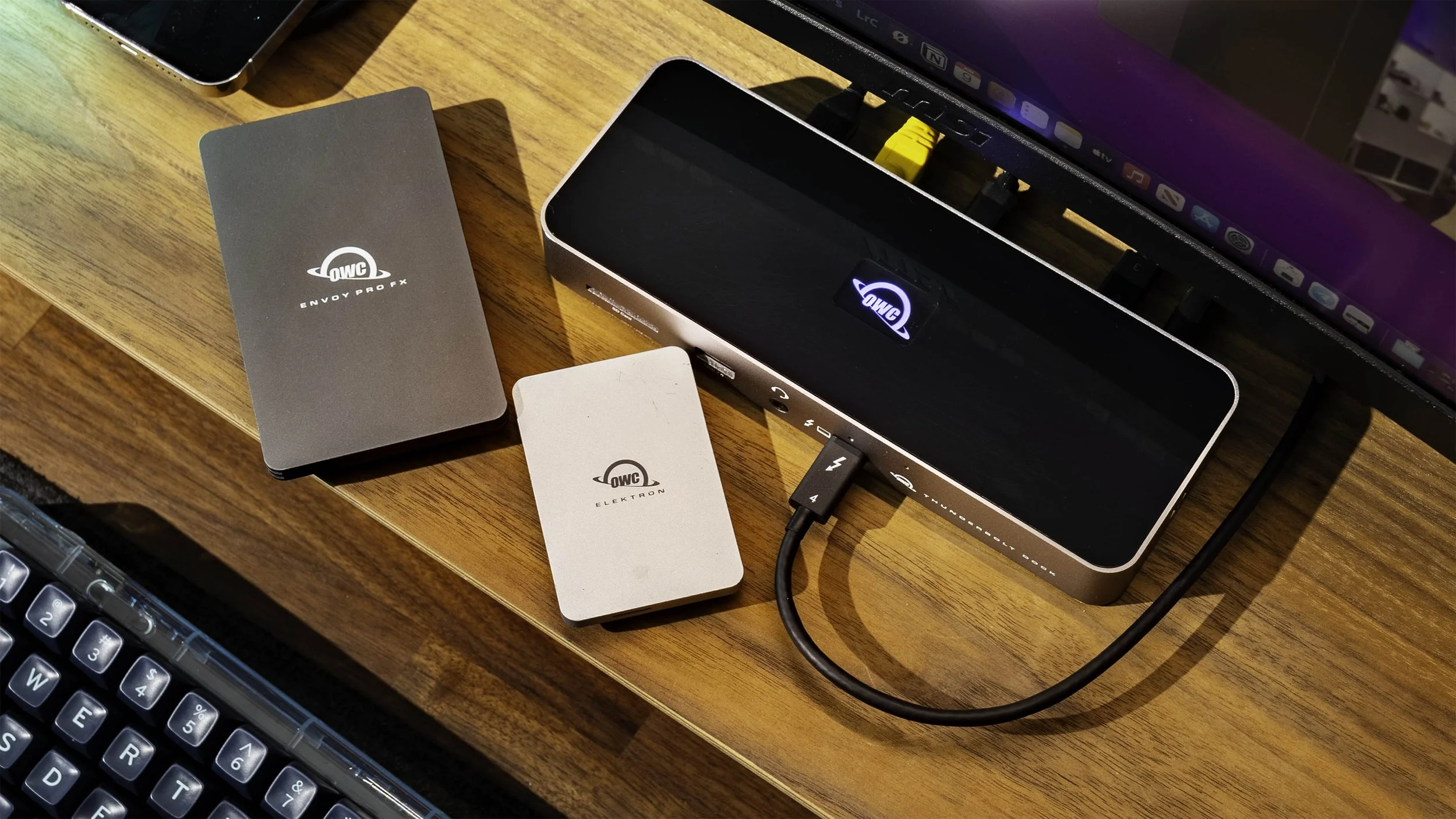
The OWC 11 Port Thunderbolt 4 Dock is the most expensive Thunderbolt 4 dock that OWC sell. It's packed full ports that expand what you can connect to your Mac, PC, Laptop, or iPad. This would make any setup complete. I'd even go as far to say that I think that this Thunderbolt 4 dock is the perfect companion to the iPad Pro, especially when iPadOS 16 is launched.

Buy the OWC 11 Port Thunderbolt 4 Dock
https://geni.us/ijIedtE (Amazon paid link)
Buy the OWC Thunderbolt 4 Hub*
https://geni.us/PqzZeU (Amazon paid link)

June 10, 2022 /Chris Wilmshurst
OWC Thunderbolt 4 Dock, Thunderbolt 4 dock, OWC Thunderbolt 4 dock review, 11 port thunderbolt 4 review, 11 port thunderbolt 4 dock review, OWC Review, iPad Pro Dock, iPad Pro Hub, Best iPAd dock, best iPad Pro dock, Macbook dock
Review

MagFit Magnetic Station - A Standout (But Flawed) Product For the iPad and Mac

June 01, 2022 by Chris Wilmshurst in Review

MagFit have created one product that serves multiple purposes and really stands out. The MagFit Magnet Station is designed to be the ultimate iPad stand while also doubling up as a hub for your Pc, Mac, or even the iPad. Stick your iPad down with its built in magnets or with the optional magnetic case. It sits right at home on your desk but its not perfect. Let's take a look at the MagFit Magnet Station for the iPad Pro.

Read More
June 01, 2022 /Chris Wilmshurst
Magfit Magnetic station review, Magfit stand, Magfit Magnetic stand, Magfit magnetic iPad stand, Magfit magnetic Station mac, Magfit universal remote, Magnetic iPad stand, Benks Magnetic ipad stand, Magnetic iPad Pro Stand
Review

1More Evo Buds Review - Are They Better Than AirPods Pro?

June 01, 2022 by Chris Wilmshurst in Review

The 1More Evo buds are 1More's brand new top of the range ear buds aimed at taking on the likes of Apple's AirPods Pro and Sony's noise cancelling ear buds. They sound incredible, have many quality of life improvements, and might just be better than AirPods Pro. Let's take a deep dive into why I think they could be.

Buy the 1More Evo https://geni.us/1moreevo (amazon paid link)
Buy AirPods Pro https://geni.us/h3licZ (amazon paid link)

June 01, 2022 /Chris Wilmshurst
1more evo, 1more comfobuds, 1more vs AirPods pro, 1more evo review, 1more evo vs AirPods pro, AirPods Pro alternative, 1more evo full review, 1more evo true wireless earbuds
Review

This Thing is UGLY! Synido Voice 100 Audio Interface Review

May 24, 2022 by Chris Wilmshurst in Review

The Synido Voice 100 is probably the ugliest piece of review tech I've ever received. The small audio interface packs a lot of features and so many inputs. Bundled with a large diaphragm microphone I answer the question in this review whether this budget setup worth your time.

Buy the Synido Voice 100: https://www.pergear.com/products/synido-voice-100
512 Audio Limelight microphone: https://geni.us/ZRGo *(Amazon Paid Link)
512 Boom arm: https://geni.us/Rk2Bg3 (amazon paid link)

May 24, 2022 /Chris Wilmshurst
Synido Voice 100, Synido, Synido Voice 100 Review, Synido MC5, Synido MC5 Mic Test, Synido Voice 100 Audio interface, Budget Audio Interface, Budget Audio Equipm, Budget streaming equipment, Budget Streaming Gear, Budget Podcasting gear
Review

Joby Swing and Spin Review - Two Smartphone Filming Accessories to Avoid (For Now)

May 22, 2022 by Chris Wilmshurst in Review

The Swing and Spin are brand new smartphone filming accessories from Joby, the company behind the super popular vlogging accessory, the GorillaPod. These two motorised devices aim to help film those professional b-roll shots that your favourite YouTubers get. Tailored towards smartphone filmmakers, they are portable and pocket sized, but are they any good? Honestly, I would recommend you avoid these for now. They have some serious problems with the app.

Buy the Joby Swing & Spin *Amazon Paid Links
Joby Spin: https://geni.us/jbyspin
Joby Swing: https://geni.us/jbyswing

May 22, 2022 /Chris Wilmshurst
Joby Swing, Joby Spin, Joby Gorillapod, Joby Smartphone, Joby Smartphone Kit, Smartphone filming, MOJO, Mobile journalism, Mobile Journalist, Motorised timelapse, Motorised Timelapse gear, Filmmaking gear, Filmmaking kit
Review

Soundpeats Mini Pro Review. The Best Budget Wireless Earbuds

May 15, 2022 by Chris Wilmshurst in Review

The Soundpeats Mini Pro Wireless Earbuds are £59.99, sound amazing, feature active noise cancelling and have a decent battery life. I can't believe I'm saying it, but they're actually really good value for money and could be the best budget wireless earbuds out today. Nothing is perfect though, so let's run through what's great and what's not so great.

Buy Soundpeats Mini Pro
https://geni.us/JWikEnV *Amazon Paid Link*

May 15, 2022 /Chris Wilmshurst
soundpeats mini pro review, best budget earbuds, best AirPods Pro alternative, AirPods Pro alternative, soundpeats mini pro earbuds, noise cancelling earbuds, best noise cancelling earbuds, soundpeats wireless earbuds
Review

1MORE ComfoBuds Mini Review - Become a Spy

May 15, 2022 by Chris Wilmshurst in Review

The 1MORE ComfoBuds Mini take a large chunk of what made the ComfoBuds Pro great and shrunk them down to this tiny size. Being so small you look just like a spy wearing them. They also have a great sound, but they are not perfect.

Buy the ComfoBuds Mini
https://geni.us/o09qU *Amazon paid link

May 15, 2022 /Chris Wilmshurst
Comfobuds mini review, 1more comfobuds mini, 1more review, 1more comfobuds mini review, 1more comfobuds mini sound, 1more comfobuds mini battery, 1more comfobuds mini or AirPods pro
Review

Benks Infinity Magnetic iPad Stand. My New Favourite iPad Accessory

May 03, 2022 by Chris Wilmshurst in Review

The Benks Infinity Magnetic iPad stand is my new favourite iPad accessory. Using magnets it securely sits your iPad in place with the ability to rotate it between portrait and landscape. It really does make Apple's Universal Control so much better to use and makes a great addition to my desk. Minus a few small issues, this is definitely something people should take a look at.

Affiliate links*:
Benks Infinity Stand: https://shrsl.com/3i6o8
iPad Pro: https://geni.us/JlD7v

May 03, 2022 /Chris Wilmshurst
iPad Pro Stand, Magnetic iPad Pro Stand, Magnetic iPad stand, Benks Magnetic ipad stand, Benks Infinity Stand, iPad Stand, Best iPad stand, iPad accessories, apple iPad stand, apple iPad accessories, iPad Pro must have, Apple Universal Control, Universal Control, iPad Drawing Stand, iPad Drawing rest
Review

Budget microphone kings? The Warm Audio 512 Skylight and Limelight Review

April 17, 2022 by Chris Wilmshurst in Review

512 Audio are a company I wasn't aware of, but their UK rep reached out to me and asked if i'd like to review their Skylight and Limelight XLR Microphones. They even decided to chuck in a nice microphone boom arm and a pop filter. In this video we run a few basic tests and I run down why I much prefer the cheaper option over the more expensive option.
Amazon Paid Links:
512 Skylight XLR Microphone: https://geni.us/WiCbukO
512 Limelight XLR Microphone: https://geni.us/ZRGo
512 Boom Arm: https://geni.us/Rk2Bg3
512 Pop Filter: https://geni.us/vFEWT9

April 17, 2022 /Chris Wilmshurst
Warm Audio Limelight, Warm Audio Skylight, 512 Limelight, 512 Skylight, Warm Audio 512 Limelight, Warm Audio 512 Skylight, Microphone Review, Warm Audio 512 Review, Warm Audio 512 Microphone Review, Warm Audio 512 Limelight Review, Warm Audio 512 Skylight Review, Microphone comparison
Review

Maonocaster E2 Review - Is this redemption?

March 31, 2022 by Chris Wilmshurst in Review

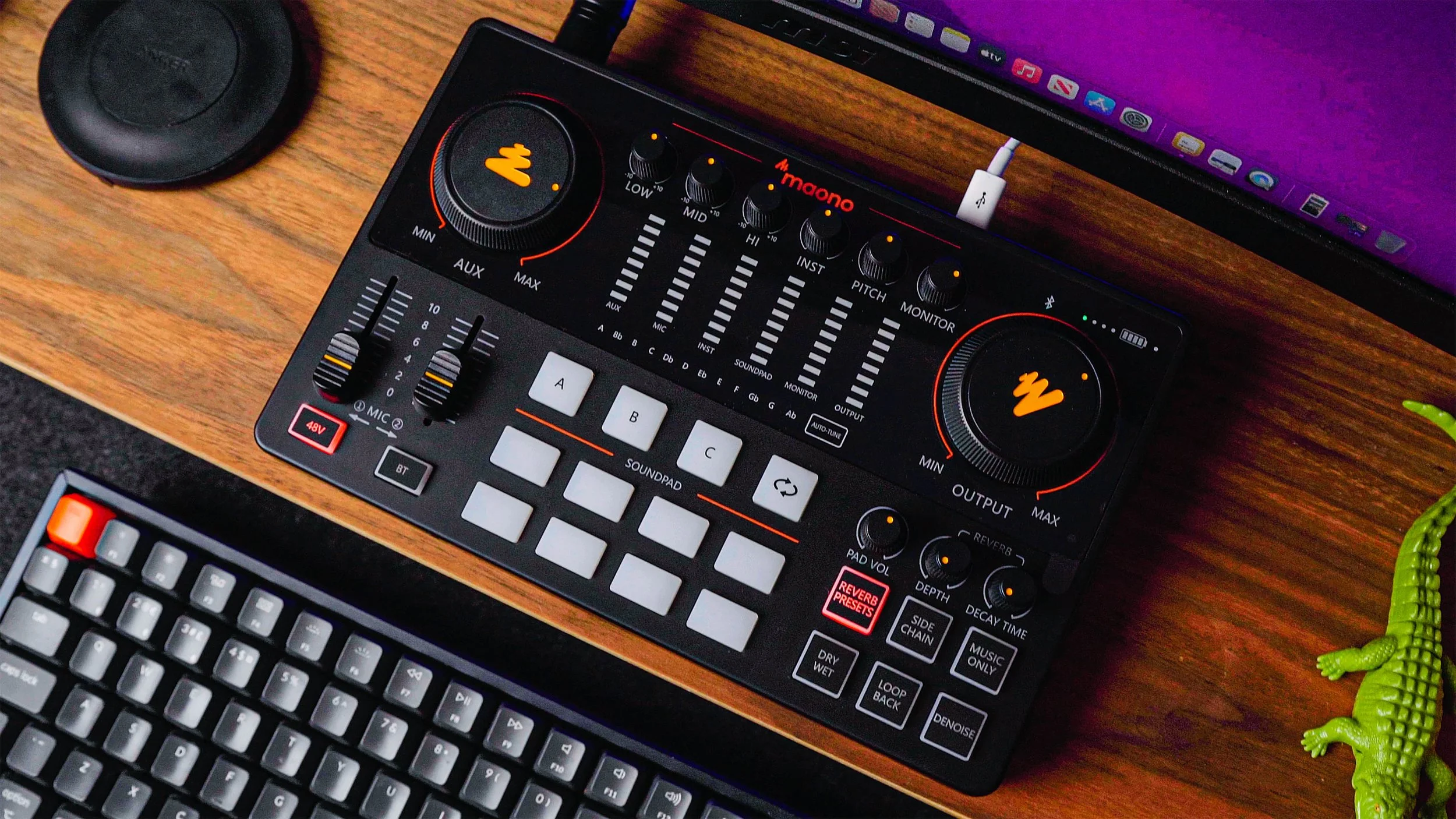
The Maonocaster E2 is one of the follow-ups to the original Maonocaster. A product that I outright refused to recommend and made a whole video ranting about it. Now they're back after some time and discussion with myself on an upgrade. Is this redemption or another failed attempt?

Maonocaster (original): https://geni.us/fZeW (Amazon Paid Link)
Maono PM320T: https://geni.us/oC4L (Amazon Paid Link)
Maono PM500: https://geni.us/yJPY (Amazon Paid Link)
512 Audio Limelight: https://geni.us/uqpt6 (Amazon Paid Link)
512 Audio Skylight: https://geni.us/uudoV (Amazon Paid Link)
Scarlett Solo: https://geni.us/Y8ieAG (Amazon Paid Link)

March 31, 2022 /Chris Wilmshurst
Maonocaster E2, Maonocaster E2 Single Mic Bundle, Maonocaster E2 Review, Maonocaster E2 Hands on, Maonocaster review, Maono Maonocaster E2 Review, Maonocaster e2 streaming, Maonocaster E2 Podcast, E2 Review, Maono Review, Podcast gear, Maono podcast gear, Maono Streamer, Maono Microphone, 512 Limelight Test, 512 Skylight test, Chris Wilmshurst, Tech Review, Podcast Review
Review

What's in my Grams28 Every Day Carry

March 04, 2022 by Chris Wilmshurst in Review

What's in my every day carry (EDC)? Well it all starts with the Grams28 $500 italian leather backpack which is honestly something that I would never have paid for myself. Fortunately they sent it out to me along with the iPhone case and AirPods Pro case. Like many people, my EDC is pretty simple, its everything I need to get work done on the road. A Macbook Pro, an iPad Pro, Chargers, Hard drives, a mouse, cables, and more. Honestly, you could get a whole lot of work done and stay hydrated with this backpack!

Backpack: https://www.grams28.com/products/151-stealth-backpack
Macbook Pro: https://geni.us/8BzY08
iPad Pro: https://geni.us/iO8V
Apple Pencil: https://geni.us/GCR28
iPad Case: https://geni.us/l8hkgL1
Mouse: https://geni.us/a4ekcW
Charger: https://passport-iii-all-in-one-65w.kckb.st/e90c5e25
Phone: https://geni.us/VQJr4
Phone Case: https://www.grams28.com/products/121-magsafe-leather-case-iphone-13-pro
AirPods: https://geni.us/Q3NDBI
Airpods Case: https://www.grams28.com/collections/112-airpods-pro-case/products/112-airpods-pro-case
Watch: https://geni.us/jjPa
USB Hub: https://geni.us/850qS
Water Flask: https://geni.us/SzYnLLt
GoPro: https://geni.us/I84WRK
Hard Drive: https://geni.us/2gzVt7
Battery Bank: https://geni.us/01Bx

March 04, 2022 /Chris Wilmshurst
EDC, Tech Bag, What's in my edc, Everyday carry, Grams28, Grams 28 151 Stealth Backpack, Macbook pro, iPad Pro, Apple Pencil, iPad Case, MX Master, Zendure Passport iii, iPhone 13 Pro, Grams 28 MagSafe leather case, AirPods Pro, grams28 AirPods pro, Apple Watch Series 7, OWC travel dock e, Hydroflask, GoPro Hero10, OWC Elektron Pro, Zendure Supertank
Review
  • Newer
  • Older

Powered by Squarespace